
Microsoft Co-Sell: 7 Steps to Close More Partner Deals
7 steps to close Microsoft co-sell deals: target Azure-active accounts, give sellers a clear ask, prove consumption, and run tight follow-up.
Microsoft co-sell does not close deals by itself. Execution does.
If I had to boil this article down to one idea, it’s this: Partner Center visibility is just the start. To win more co-sell deals, I need to do 7 things well: pick the right accounts, build seller-ready messaging, keep proof current, contact the right Microsoft seller, run a shared account plan, use ECIF or MACC only when they change the deal, and manage follow-up by stage.
Here’s the article in plain English:
- Step 1: I focus on accounts already showing Azure or Copilot use.
- Step 2: I give Microsoft sellers a short message they can send right away.
- Step 3: I keep Partner Center data clean, with deal value, timeline, and contacts.
- Step 4: I reach the right AE or SSP with one clear ask.
- Step 5: I use one shared account plan with owners and due dates.
- Step 6: I check whether ECIF or MACC can help move the deal.
- Step 7: I treat follow-up like pipeline control, not a status check.
The big point is simple: sellers act when the next step is clear. That means my offer needs to show expected Azure consumption, buyer context, proof, and timing in one place.
Quick Comparison
| Area | What weak teams do | What better teams do |
|---|---|---|
| Account choice | Chase low-signal accounts | Target Azure-active accounts |
| Seller outreach | Send long notes with vague asks | Send short messages with one ask |
| Proof | Leave data scattered | Show timeline, contacts, and ACR |
| Planning | Work deal by deal | Run one shared plan |
| Funding | Mention ECIF/MACC late | Check fit early |
| Follow-up | Send generic updates | Assign owner, action, and due date |
A few facts from the article stand out:
- Microsoft’s FY27 focus is on execution, adoption, and customer outcomes.
- The field kit should include 2 to 3 customer outcomes tied to KPIs.
- Barron Tech support plans range from $2,700 to $12,500 per month.
If I want more co-sell revenue, this is the pattern: right account, right seller, right proof, right next step. The rest of the article shows how to run that motion each week.
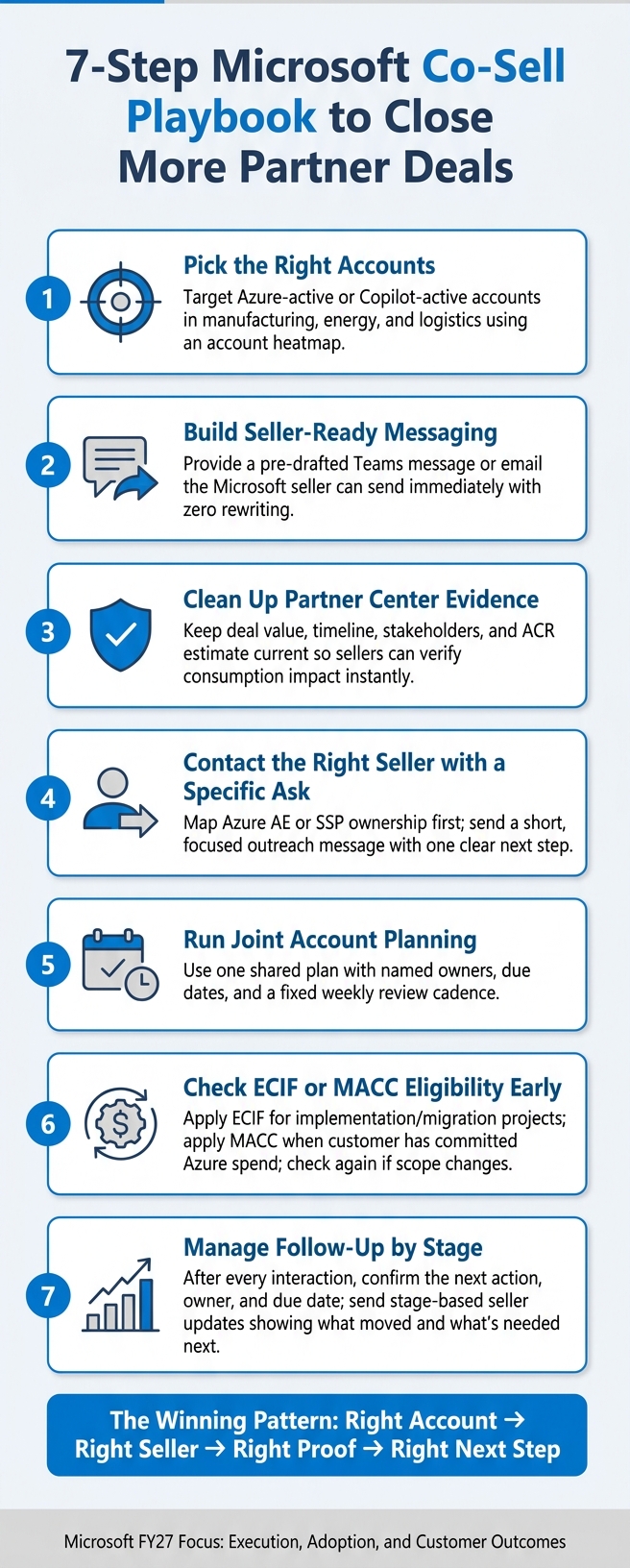
The Seven-Step Co-Sell Playbook
Steps 1 to 3: Pick the Right Accounts, Build Seller-Ready Messaging, and Clean Up Partner Center Evidence
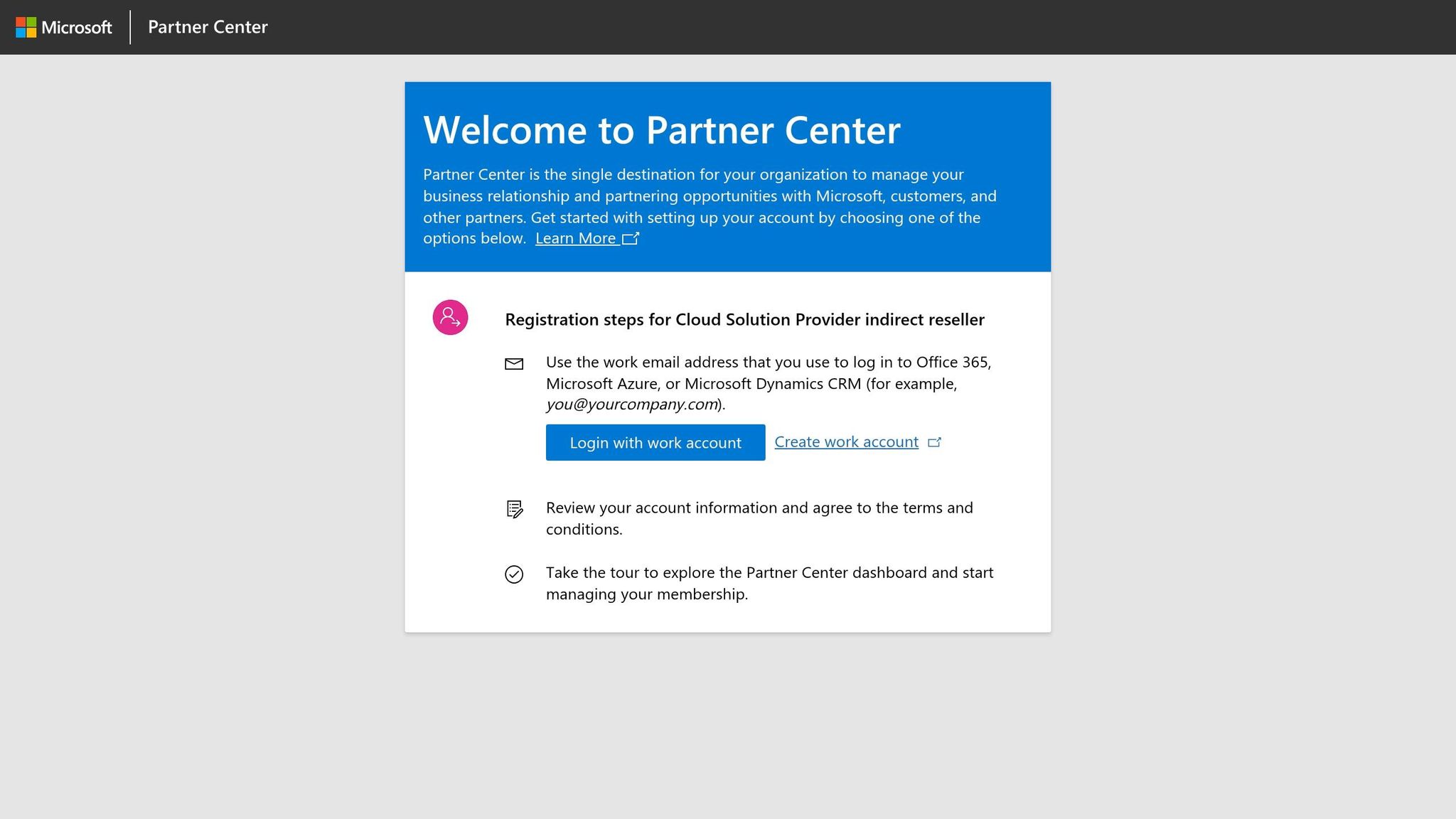
Step 1: Pick accounts with clear Azure usage signals.
Start with accounts that fit the motion. Put your time into operationally complex companies in manufacturing, energy, and logistics that already show some Azure or Copilot use. That signal matters. It tells you the account is more likely to move than one starting from zero.
Use an account heatmap to see where things stand. It should help you spot coverage gaps, thin relationships, and follow-up that has gone cold.
Once you rank the right accounts, turn each one into a seller-ready ask.
Step 2: Build messaging the seller can use immediately.
Make it easy for the seller to act. Give them a clear ask, quick account context, and a draft Teams message or email they can send as-is. No rewriting. No extra prep. The aim is simple: be the lowest-friction path.
Step 3: Strengthen your Partner Center evidence.
Keep your co-sell profile, referrals, and pipeline up to date. That way, sellers can quickly confirm expected Azure consumption, timeline, and stakeholders.
| Asset/Evidence Type | What It Shows Microsoft Sellers | Must Include |
|---|---|---|
| Account Heatmap | Coverage gaps and relationship depth | Solution coverage, status, next actions |
| Seller-Ready Messaging | A fast path to customer outreach | Concise ask, account context, pre-drafted text |
| Relationship Map | Who owns what internally | Azure AE/SSP names, roles, partner alignment |
| Pipeline Evidence | Deal velocity and consumption impact | ACR estimate, timeline, stakeholder list |
Once your evidence is cleaned up, the next move is reaching the right Microsoft seller with a specific ask.
Steps 4 and 5: Reach the Right Microsoft Sellers and Run Joint Account Planning
Step 4: Contact the right seller with a specific ask.
Map seller ownership before you reach out so your message lands with the right Azure AE or SSP. Keep your Microsoft relationship map attached directly to the account plan so you don’t lose that context in the middle of the motion [1].
Short messages tend to work better than long ones:
Hi [AE name] - I’m working with [Company] on an Azure modernization project with clear consumption potential. Can we align on next steps in a 20-minute call this week?
Step 5: Run joint account planning with a shared plan.
Once a seller engages, move the deal into one shared plan with clear owners and next steps. Run that plan in a shared workspace and review it on a fixed cadence. Use the heatmap during weekly account prioritization, and decide who owns the next move.
With joint planning in place, the next check is whether ECIF or MACC changes the deal economics.
Steps 6 and 7: Use ECIF or MACC When Relevant and Keep Follow-Up Tight
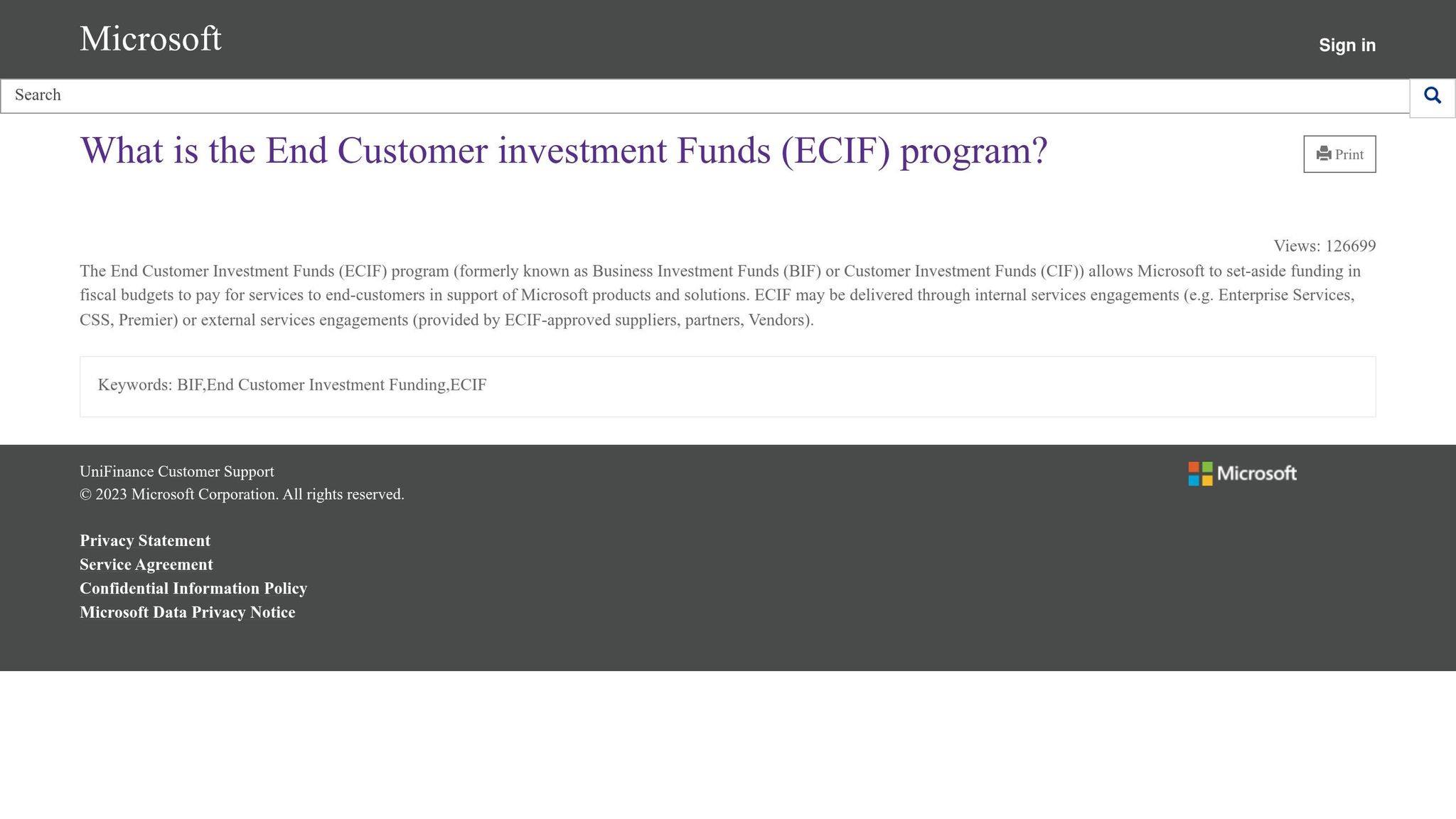
Step 6: Use ECIF or MACC only when the program changes seller motivation or customer economics.
These funding programs don’t apply to every deal. But when they do, they can increase seller incentive in a meaningful way.
| Program | Best Fit Deal Type | Azure Consumption Impact | Why Sellers Care |
|---|---|---|---|
| ECIF | Implementation or migration projects with defined scope | Indirect - funds the work that drives future consumption | Reduces customer cost barrier; accelerates project start |
| MACC | Deals where the customer has a committed Azure spend | Direct - counts against the customer’s MACC balance | Helps the customer hit their commitment; seller wins on consumption |
| Both | Large enterprise transformations with phased delivery | High - ECIF funds early phases, MACC tracks ongoing ACR | Maximizes seller incentive across the full deal lifecycle |
Check eligibility early, then check again if the scope changes before the deal gets too far along to reposition [2]. Also document the expected consumption impact clearly. Sellers need that number to justify internal support.
Step 7: Treat follow-up as a stage-management tool, not a status report.
After each interaction, confirm the next action, who owns it, and when it’s due. Then send stage-based seller updates that say what moved, what happens next, and what you need from the seller.
Those updates become the operating rhythm for the assets and systems that make co-sell repeatable.
Signe Holm - Driving Co-Sell Success with Microsoft | Partnerships Unraveled
Assets and Systems That Make the Motion Repeatable
Once follow-up turns into a stage-management habit, the next problem is consistency. Step 7 only works at scale if the assets and workflow behind it are standardized.
That’s where a small shared kit helps. It keeps follow-up, seller outreach, and account context from getting split across deals.
The Minimum Field Kit Every Co-Sell Team Should Have
Before reaching out to Microsoft sellers, every co-sell team needs a basic set of assets in place. The point is simple: make the seller’s next action obvious.
The field kit should include:
- An ICP with clear qualification rules
- A proof pack with 2 to 3 customer outcomes tied to measurable KPIs
- Outreach templates drafted in advance for Teams and email
- An account heatmap that shows coverage gaps and relationship depth
It also helps to separate general follow-up from seller-specific tasks. That way, each outreach step stays tied to the right account and owner instead of drifting into a messy shared queue.
The value proposition matters more than anything else here. Why? Because sellers pass along what they can use right away.
| Feature | Weak Value Proposition | Seller-Ready Value Proposition |
|---|---|---|
| Azure Attach | Vague mention of “cloud-ready” solutions | Explicitly tied to Azure consumption (ACR) or MACC depletion |
| Customer Outcomes | Focuses on technical features and partner history | Focuses on specific KPIs (e.g., “95% task detection accuracy”) |
| Clarity | Requires the Microsoft seller to “figure out” the fit | Acts as a clear offer with a defined 30-minute review |
That’s the bar: make the seller’s next move obvious.
How Barron Tech Supports Execution with Co-Sell Buddy and GTM Support
These assets work best when they sit inside one system, not scattered across spreadsheets and inboxes.
Co-Sell Buddy keeps accounts, Microsoft contacts, seller ownership, and outreach drafts in one workspace. Barron Tech GTM support adds account mapping, heatmaps, ownership tracking, and outreach drafting, so the team can run the motion without piecing together separate files.
Choosing the Right Barron Tech Support Model
If your field kit is already in place, the next step is simple: match the level of help to your team size and the number of pursuits you’re handling each month.
When Launch, Pipeline, or Ambassador Makes Sense
Choose based on team size, co-sell maturity, and monthly execution load.
| Plan | Ideal For | Monthly Cost | Key Support Included |
|---|---|---|---|
| Launch | Small teams building their first co-sell motion | $2,700 | 1 live strategy session monthly; on-demand deal and seller coaching; monthly seller top-of-mind email; support for the top 1 pursuit each month; 2 Co-Sell Buddy seats |
| Pipeline | Growing teams with active pursuits and weekly seller touchpoints | $5,800 | 2 live strategy sessions monthly; on-demand deal and seller coaching; bi-weekly seller top-of-mind email; support for the top 2 pursuits each month; 5 Co-Sell Buddy seats |
| Ambassador | Larger teams managing multiple Microsoft sellers | $12,500 | 3 live strategy sessions monthly; same-day deal and seller coaching; weekly seller top-of-mind email; support for the top 3 pursuits each month; 10 Co-Sell Buddy seats |
Here’s the quick way to think about it:
- Launch fits smaller teams that are just getting their co-sell motion off the ground.
- Pipeline works well when pursuits are active and seller follow-up is happening every week.
- Ambassador is built for larger teams that need tighter support across several Microsoft sellers at once.
The main difference isn’t just price. It’s cadence, response speed, and how many active pursuits need hands-on help each month.
How Co-Sell Buddy Tiers Match Individual and Team Workflows
The software tier should line up with how many people need access and how much follow-up has to be shared across the team. For software, choose by seat count and collaboration needs. Use Start for one user, Pro for a single operator, and Team for shared account coverage.
| Plan | Ideal For | Monthly Cost | Key Support Included |
|---|---|---|---|
| Co-Sell Buddy Start | One person trialing the workflow | Custom | Account coverage workspace; contacts and recommendations; basic workflow trial |
| Co-Sell Buddy Pro | Solo seller, alliance lead, or partner manager | Custom | Full self-serve product; account and contact management; heatmaps; recommendations and campaigns; outreach workflow |
| Co-Sell Buddy Team | Multi-person partner team | Custom | Shared team workspace; assigned campaign work; shared coverage and execution |
A simple way to choose:
- Pick the software tier by seat count.
- Add the support plan based on execution load.
Once that’s set, the work becomes about running the cadence the same way across accounts and sellers.
Conclusion: The Co-Sell Pattern That Closes More Deals
Partners close more Microsoft co-sell deals when they go after the right accounts, give sellers a clear ask, show deal value, and stick to a steady cadence. That seven-step pattern works because it ties account selection, seller-ready messaging, proof, funding, and follow-up into one motion.
Partner Center visibility matters ONLY when it leads to seller action.
Your motion should line up with Microsoft’s current priorities - Copilot, Security, and Marketplace - so sellers have a reason to lean in. Execution comes down to the basics: every account needs an owner, a message, proof, and a next step. The teams closing more deals run the same account, seller, and follow-up rhythm every week. Start with the checklist below.
Key Actions to Take This Month
Use these five actions to turn the playbook into this month’s pipeline work.
- Review target accounts. Map Microsoft-active accounts to internal owners and sellers with your account heatmap so you can spot where seller alignment is needed right now.
- Tighten one seller-ready offer. Strip it down until a Microsoft rep can pitch it in one pass.
- Update one co-sell opportunity. Add intent signals, validation, and next steps in Partner Center.
- Send focused outreach. Lead with account context and a specific ask.
- Schedule a recurring pipeline review. Check shipped, stalled, and next actions each week.
FAQs
How do I know which accounts are best for Microsoft co-sell?
Focus on accounts that fit your ideal customer profile and line up with Microsoft’s current cloud and industry priorities.
A simple way to do this is to cross-check your pipeline against focus areas like AI, data modernization, and industry clouds. That helps you see which deals sit closer to what Microsoft teams are already pushing.
Then use account heatmaps to find two things:
- Where you already have traction
- Where the Microsoft seller relationship needs more support to help move the deal forward
This keeps your team pointed at the accounts with the best fit instead of spreading effort across every open opportunity.
When should I use ECIF or MACC in a deal?
Use ECIF or MACC when the deal lines up with Microsoft priorities and you’ve pinpointed the right account. Think of it as a strategic lever that can help move the deal forward and give Microsoft sellers a stronger reason to engage with, or prioritize, your solution.
To support that effort, bring a seller-ready value proposition and pipeline proof that shows how the partnership can affect revenue goals and lead to clear deal outcomes.
What should I include in a seller-ready co-sell message?
Give the Microsoft field team something they can use right now, not vague partner language.
That means the content should include:
- Specific account context so the seller knows what’s happening with this customer
- Relevant talk tracks tied to the account and campaign at hand
- Draft outreach for email or Teams that can be copied, edited lightly, and sent fast
- The account name
- The Microsoft sellers involved
- The current coverage status
Build it around the actual account, contact, and campaign context so the seller can move with minimal friction.