
Microsoft Partner Go-to-Market: A Practical Checklist
Make Microsoft co-sell work: narrow offers, seller-ready assets, mapped contacts, and weekly pipeline reviews.
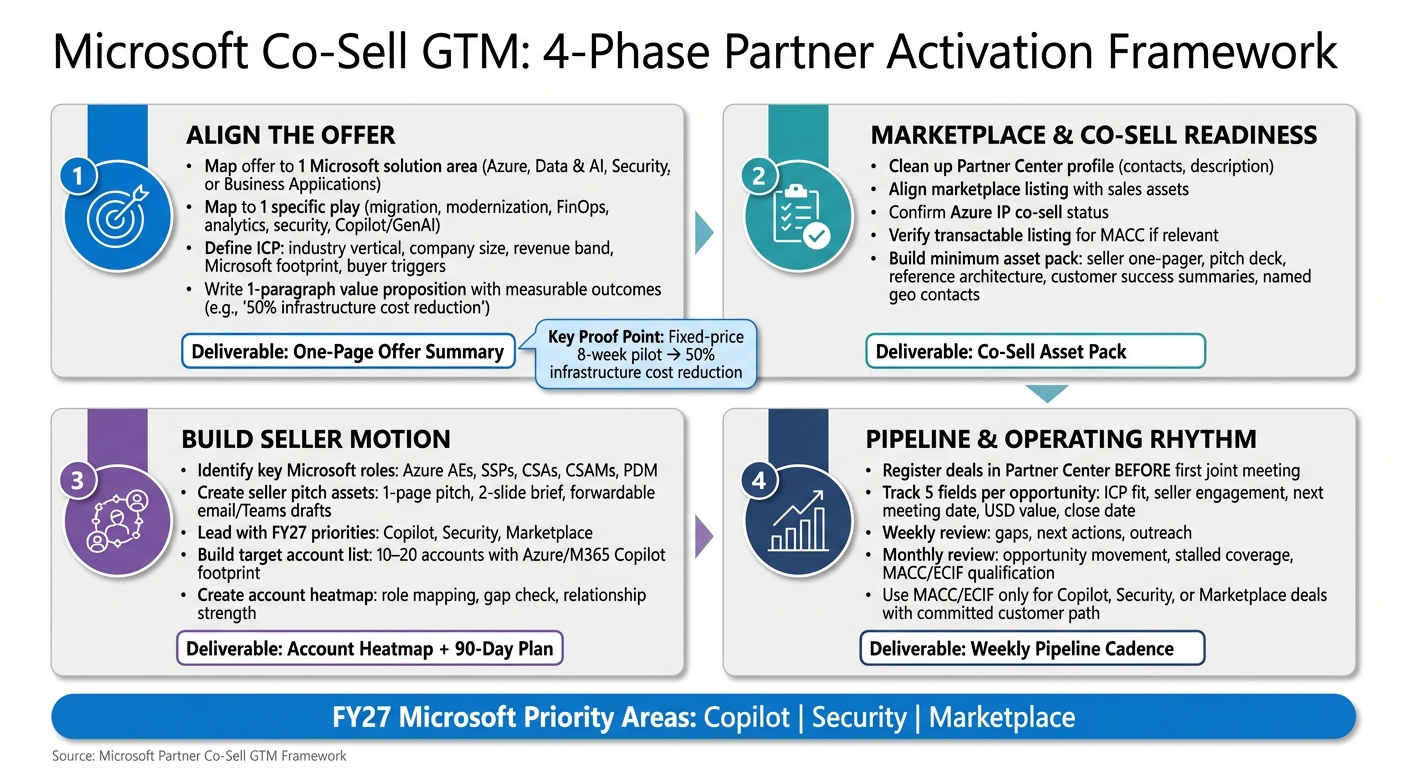
If I want Microsoft co-sell to work, I need four things in place: a tight offer, co-sell-ready assets, the right seller contacts, and a weekly pipeline rhythm.
That’s the whole article in one line.
More specifically, I need to:
- tie my offer to one Microsoft solution area and one play
- define a clear ICP with buyer triggers and Microsoft footprint
- build a small asset pack sellers can forward fast
- confirm Partner Center, Marketplace, co-sell, and commerce details
- target 10–20 accounts with role mapping and a relationship heatmap
- register deals before the first joint meeting
- review pipeline weekly and funding paths monthly
- use MACC and ECIF only when the deal and customer path are clear
The article also points to what Microsoft is pushing in FY27: Copilot, security, and Marketplace. So if my offer fits one of those areas, I have a better shot at getting seller attention.
A few examples make the point clear. One partner used a fixed-price 8-week pilot with a narrow scope. Another proof point showed 50% infrastructure cost cuts. That’s the kind of message sellers can repeat without extra work.
In short, this piece is about turning partner knowledge into seller action. Less planning for its own sake. More clear offers, clear ownership, and clear next steps.
Mastering Microsoft’s Co-Sell Program: A Partner’s Blueprint
Align the offer with Microsoft priorities and customer fit
Before you build seller assets, answer one simple question: can a Microsoft seller explain your offer in one sentence? If the answer is no, the deal tends to slow down.
Once you’ve picked the priority area, narrow the offer until a Microsoft seller can say it back without effort.
Map the offer to Microsoft solution areas and plays
Map the offer to one Microsoft solution area - Azure, Data & AI, Security, or Business Applications - and one specific play, such as migration, modernization, FinOps, analytics, security, or Copilot and GenAI [3]. That level of focus makes it easier for sellers to connect your offer to a live Microsoft sales conversation.
At this stage, the minimum artifact is a one-page mapping document. It should show the customer outcome, the Microsoft solution area the offer supports, and the specific play it lines up with.
After that, get clear on the buyer and the trigger that makes the offer matter.
Define the ideal customer profile and buying team
Write the ICP on one page. At a minimum, include the industry vertical, company size (SMC or Enterprise), annual revenue band in USD, current Microsoft footprint (such as Windows Server, Active Directory, Office 365, Azure, or Copilot), likely decision-makers, and the trigger that shows a prospect is ready to move.
Lead with urgent triggers like cloud spend inefficiency, stalled AI pilots, or security gaps. Matt Barron, VP Sales, Echelix, said it best:
“Be the easy button for me. I have enough problems / other info to sort through.” - Matt Barron, VP Sales, Echelix [2]
Tie the ICP to measurable outcomes. A line like “reduces annual cloud spend by a specific percentage” or “accelerates deployment speed” gives Microsoft sellers something clear they can repeat to customers.
Then use that ICP to shape the one-paragraph offer.
Write a repeatable value proposition and delivery motion
Write one paragraph that covers the customer, the problem, the outcome, and the proof. In plain terms, say who the offer is for, what issue you solve, what result you deliver, and why the customer should believe it will work.
Pair that with a repeatable delivery sequence and firm scope boundaries - Discovery → Strategic Design → Agile Development → Deployment [3].
Echelix’s “Embedded Agent Pilot” is a good model: a fixed-price, 8-week engagement scoped to one workflow and one KPI. That narrow scope is deliberate.
“The scope is tight on purpose — because that’s how you actually ship.” - Matt Barron, VP Sales, Echelix [2]
For instance, NIX United’s cloud optimization work cut infrastructure costs by 50% [3]. That’s the kind of proof point a Microsoft seller can actually use in a customer conversation.
Pull all of this into a one-page summary and proof pack.
| Checklist Item | Minimum Artifact |
|---|---|
| Solution area and play mapping | One-page written mapping document |
| ICP definition | Industry, size, revenue band, Microsoft footprint, triggers |
| Value proposition | One paragraph with measurable outcomes |
| Delivery motion | Scoped sequence with time-to-value estimate |
| Proof points | Two to three documented customer results |
Prepare marketplace and co-sell readiness basics
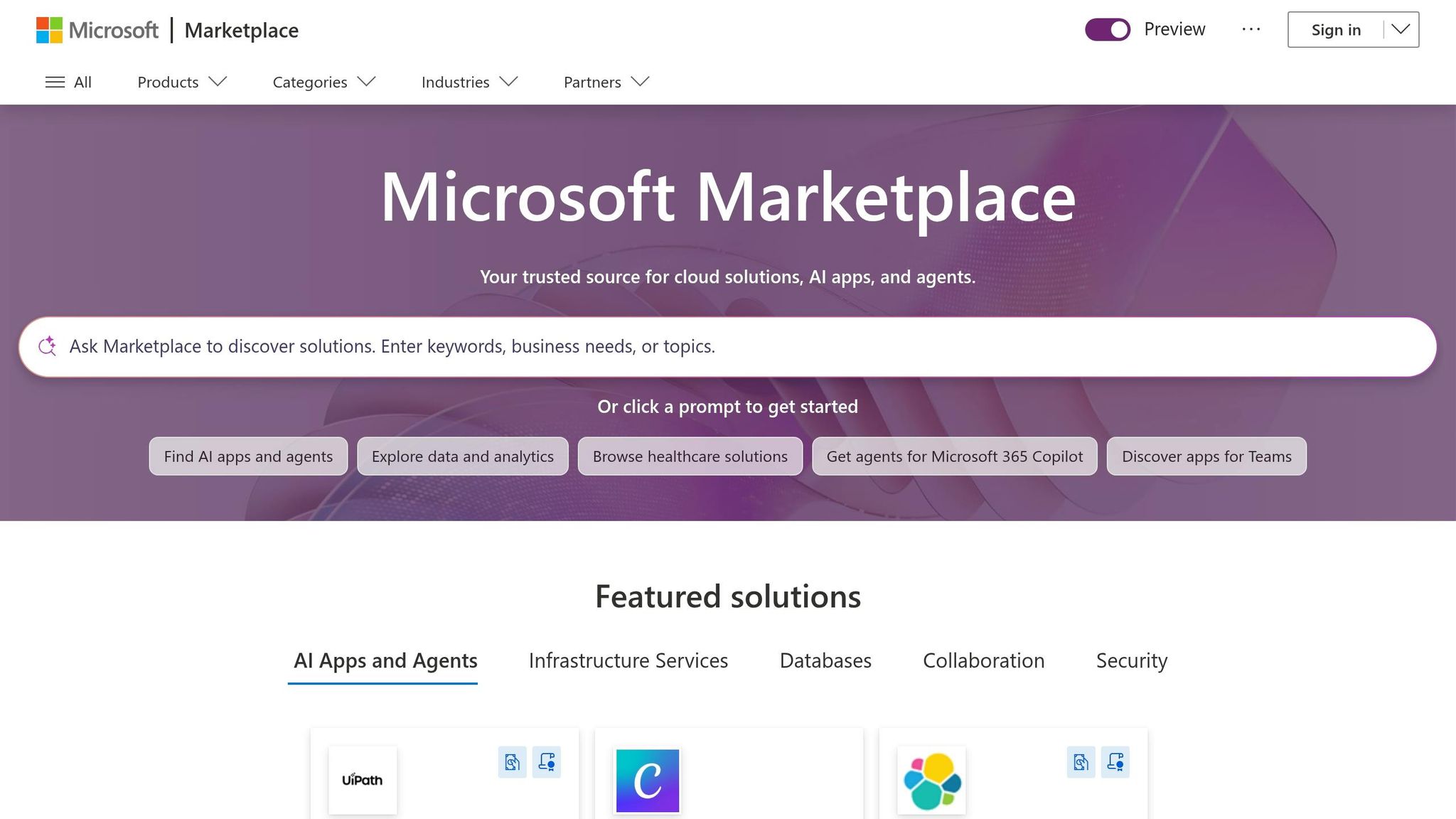
Before you ask a Microsoft seller for time, get the basics in order: a current Partner Center profile and a marketplace listing that says the same thing as the rest of your sales story. When those pieces line up, the seller motion is much easier to start.
Clean up Partner Center and marketplace presence
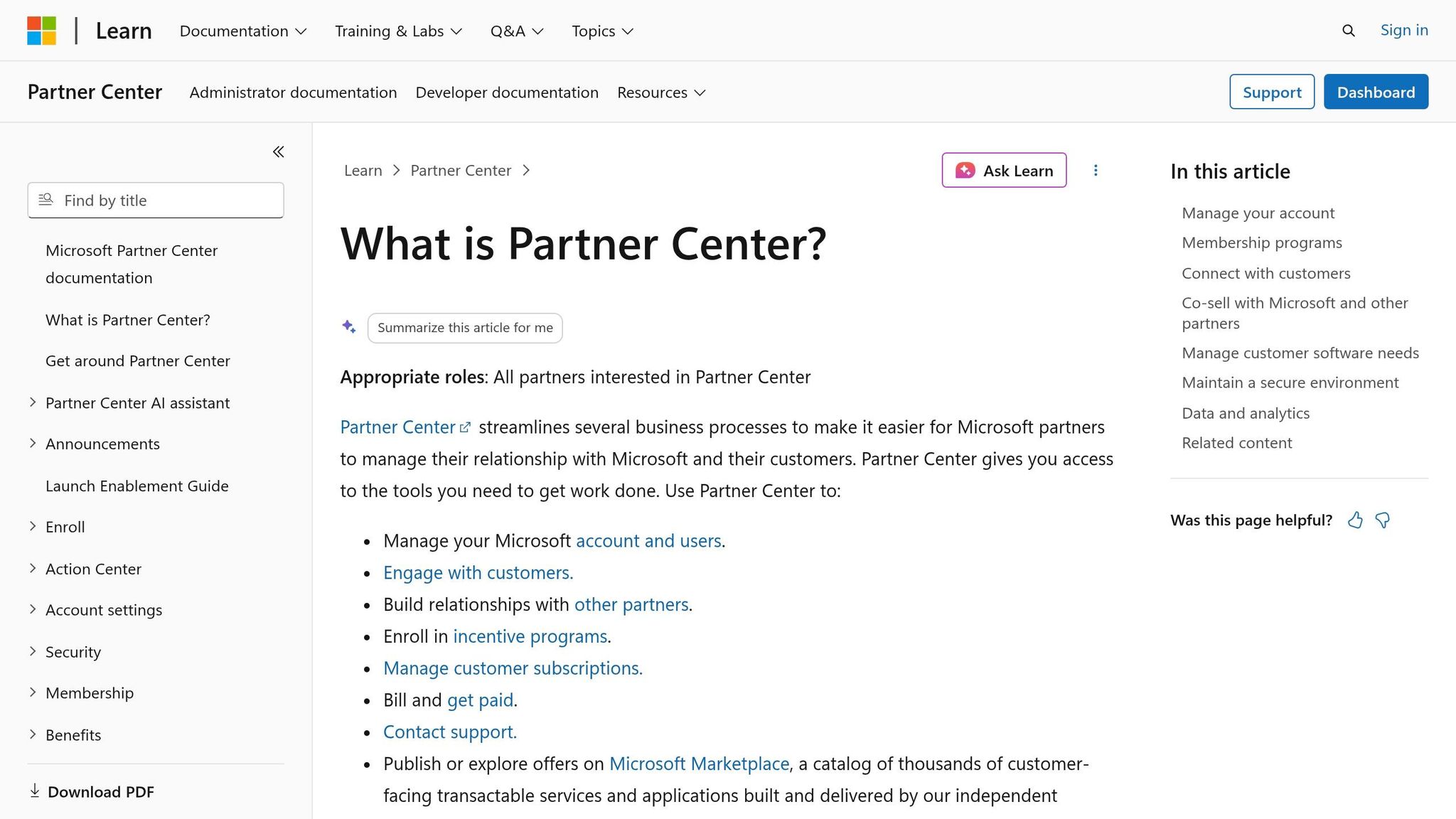
Start with your Partner Center profile. Make sure your company description and contact details are up to date so Microsoft sellers can route opportunities without delay.
Then review your marketplace listing. The language should match your website and sales assets so sellers can repeat your offer the same way every time. If MACC alignment is part of your commerce motion, your listing should be transactable for enterprise commerce motions [2].
Assemble the minimum co-sell asset pack
Build the minimum co-sell pack first:
- seller one-pager
- short pitch deck
- reference architecture or delivery overview
- customer success summaries
- named contacts by geography
These materials help a seller forward the offer, brief it, and act on it in one pass. Start with the minimum pack. Add heatmaps and outreach drafts later.
The one-pager should make three things clear: who the offer is for, what it solves, and who to contact. The next step should feel obvious.
Package proof points as short customer success summaries so sellers have evidence they can repeat.
Check program and commerce prerequisites
Before outreach, verify the program and commerce details that affect seller routing and incentive eligibility. Confirm your solution designations are current and that your offer has Azure IP co-sell status if you plan to pursue co-sell incentives [2]. Check whether your listing is transactable for enterprise commerce motions if you expect to support MACC conversations [2]. Also confirm that named contacts are assigned by geography so sellers know exactly who to reach for a given account.
| Prerequisite | Status to Verify | Why It Matters |
|---|---|---|
| Partner Center profile | Complete, contacts current | Helps Microsoft sellers route the opportunity quickly |
| Marketplace listing | Live, consistent with website and sales assets | Supports seller credibility and marketplace readiness |
| Transactable listing | Active if MACC is relevant | Needed for MACC-aligned enterprise commerce motions |
| Azure IP co-sell status | Confirmed and current | Supports co-sell eligibility |
| Solution designations | Verified against current Microsoft requirements | Affects program fit and seller attention |
| Named geographic contacts | Assigned and reachable | Prevents routing delays after seller engagement |
Verify these items before seller outreach. Once marketplace and co-sell basics are in place, you can move into seller-facing messaging and account targeting.
Build a Microsoft seller-facing motion
With your marketplace presence and co-sell assets in place, the next step is turning that base into a motion Microsoft sellers can use. In plain English: pick the right people, the right message, and the right accounts. That’s how you turn readiness into seller action.
Identify the Microsoft roles that matter
Focus only on the Microsoft roles that can move the deal forward. In a co-sell motion, the key roles are Azure AEs, SSPs, CSAs, CSAMs, and your PDM.
Azure AEs often lead account strategy for enterprise customers, and they care about cloud consumption (ACR). SSPs focus on solution areas like Azure, Microsoft 365, Security, or Dynamics 365, so your message needs to line up with that person’s goals. CSAs, CSAMs, and your PDM can matter too, depending on the account and the stage.
The rule is simple: match the message to the role’s quota and current priorities.
Create the seller pitch and outreach assets
Make the seller’s next move obvious at a glance.
Turn your current co-sell materials into assets a seller can use fast: a one-page pitch, a two-slide brief, and forwardable email and Teams drafts. Each one should answer three questions right away:
- Who is this for?
- What does it solve?
- Why does it matter now?
If your offer touches Copilot, security, or Marketplace, say that in the first sentence. Sellers are scanning for relevance to current priorities, not sitting down to read a full deck. Keep the pitch tied to customer outcomes - adoption, deployment, and measurable results - instead of features or architecture.
Once the pitch is clear, ranking accounts and assigning outreach gets much easier.
Build the first target account list and heatmap
Start with 10 to 20 accounts. A short, researched list beats a long one every time. Put first priority on organizations with an existing Azure footprint or recent Microsoft 365 Copilot adoption, because those accounts already show a Microsoft signal.
For each account, map the Microsoft contacts you already know, then look for gaps. Maybe one account has no AE relationship. Another may have a CSA but no SSP. That gap check becomes your account heatmap: a simple view of coverage, relationship strength, and likely demand. It shows where outreach should start.
Use a shared account tracker to keep contacts, gaps, and outreach drafts in one place so a Teams message or email is ready to send without delay.
Use the same sequence for every account: role mapping, gap check, outreach, joint meeting.
Then pair the heatmap with a 90-day activation plan. Set your outreach cadence, define a goal for joint meetings in the first 30 days, and assign clear ownership for each next step. Without that structure, the list is just a list.
The heatmap should feed the pipeline rules and review cadence that follow.
Run co-sell pipeline, funding, and operating rhythm
Turn the heatmap into a simple weekly habit. If no one looks at it each week, it’s just a nice chart. What matters is using it to keep pipeline data current and to push deals forward.
Set rules for co-sell opportunity management
Register the opportunity in Partner Center before the first joint meeting. Then track these five fields on every opportunity:
- ICP fit
- Microsoft seller engagement
- Next meeting date
- Estimated USD value
- Close date
Those five fields should drive every weekly pipeline review.
Each week, review gaps, next actions, and outreach. Once a month, look at which opportunities moved forward, where the Microsoft relationship needs more attention, and where coverage has stalled. Use that same monthly review to flag deals that may qualify for MACC or ECIF.
Plan MACC and ECIF motions where relevant
Use MACC and ECIF only when the deal lines up with Microsoft priority areas and there’s a committed customer path. Put funding conversations first for Copilot, security, or Marketplace deals with clear customer commitment.
Before that conversation, have four items ready:
- a funding checklist
- customer commitment notes
- the intended Marketplace transaction path
- an internal owner assigned to follow up
Document the Marketplace transaction path before the funding request. Track funding status and owner next to the opportunity so follow-up doesn’t slip through the cracks.
Use Barron Tech systems to stabilize execution
Execution breaks down fast when ownership is fuzzy. One person needs to own the process.
Use Co-Sell Buddy to keep account maps, seller ownership, and outreach drafts in one shared workspace. [1]
| Checklist Item | Minimum Artifact |
|---|---|
| Opportunity registration rule | Partner Center entry before first joint meeting |
| Pipeline tracking fields | ICP fit, seller engagement, next meeting, USD value, close date |
| Weekly review cadence | Gaps, next actions, outreach |
| Monthly review cadence | Opportunity movement, stalled coverage |
| MACC/ECIF qualification | Funding checklist, commitment notes, Marketplace path, assigned owner |
| Execution tool | Co-Sell Buddy with account maps, ownership, and outreach drafts |
Conclusion
A repeatable Microsoft partner GTM motion comes down to doing a few things well, over and over: alignment, readiness, seller motion, and pipeline discipline. Those four links are what make the system work. That’s how strategy turns into repeatable pipeline.
Once those pieces are in place, the motion gets easier to run. It also gets easier for Microsoft sellers to engage with. Steady pipeline usually comes from getting the basics right: clear offers, the right Microsoft seller roles, account heatmaps, and consistent follow-up. When those basics are tight, the offer is easier to sell, the account list is easier to route, and the pipeline is easier to manage.
“The opportunity as a Microsoft partner is still very strong and I haven’t seen another hyperscaler truly believe in its partner ecosystem more than Microsoft.” [2]
That discipline matters even more now because Microsoft is putting its weight behind the same areas many partners want to sell into. With Microsoft’s FY27 priorities favoring Copilot, security, and Marketplace [2], the opportunity is strong for partners that execute well.
Start with the minimum, own the motion, and build from there.
FAQs
How do I choose the right Microsoft solution area and play?
Align your service work with Microsoft’s cloud and industry priorities. Start by defining your ideal customer profile. Then connect your offer to focus areas like AI, data modernization, or application innovation.
Next, use account heatmaps to spot coverage gaps where your team fits seller roles such as Azure AEs and SSPs. The goal is simple: put your effort where you can consistently create qualified opportunities and build proof points for joint pursuits.
What makes an offer truly co-sell ready?
An offer is co-sell ready when it does more than list broad features. It needs to solve specific customer problems that line up with current Microsoft priorities.
It also needs a clear operating rhythm tied to actual account context. That means having the basics in place for the field to act on right away:
- a relationship map
- identified Microsoft sellers
- coverage status
- a one-page seller pitch
- verified customer proof points
- account heatmaps
- outreach assets the field can use immediately
Without that, even a strong offer can stall because sellers don’t have what they need to move fast.
When should I use MACC or ECIF in a deal?
Use ECIF and MACC when a partner-led solution lines up with Microsoft’s current cloud and industry priorities and you want to speed up customer adoption and deal momentum.
They fit best in structured, co-sell-ready deals where the goal is to move a customer from early interest to a signed contract. This is especially useful when you need stronger proof points or a nudge that helps the customer commit to Azure consumption.