
5 Signs Your Partner Sales Engine Needs Fixing
Spot five partner sales problems—uneven referrals, weak seller engagement, unclear ownership, missed funding, and poor campaign conversion.
If your Microsoft partner pipeline feels uneven, the problem is often simple: your team has gaps in follow-up, seller ownership, account targeting, funding use, or campaign handoff.
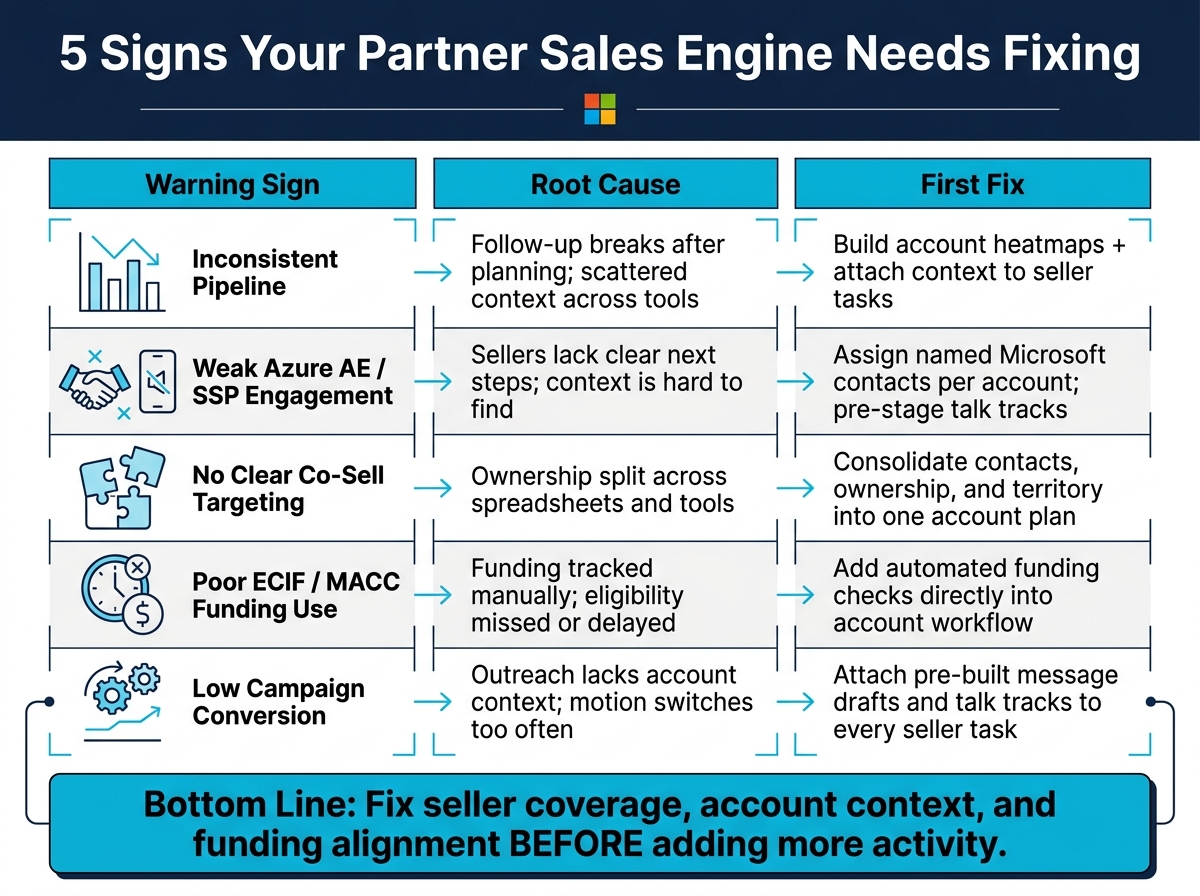
I’d sum up the article like this: most partner sales problems start long before revenue drops. You can often spot them in 5 places:
- Pipeline from Microsoft sellers comes in bursts
- Azure AEs and SSPs stop replying after early interest
- No one is clear on who owns which Microsoft relationship
- ECIF and MACC funding gets missed or used too late
- Partner-led campaigns stay busy but don’t turn into qualified pipeline
The fixes are also simple on paper:
- Use account heatmaps to find coverage gaps
- Tie each account to a named Microsoft seller
- Put account context and message drafts inside seller tasks
- Bring funding checks into the daily workflow
- Stay with one sales motion long enough to see what converts
A missed funding motion can slow a deal by weeks, and weak follow-up can cut referral flow even when activity looks high. So I’d treat these 5 signs like a quarterly check on pipeline health.
| Sign | What it usually means | First fix |
|---|---|---|
| Inconsistent pipeline | Follow-up breaks after planning | Build account heatmaps and seller task flows |
| Weak AE/SSP engagement | Sellers don’t have clear next steps | Assign named Microsoft contacts per account |
| Unclear co-sell targeting | Ownership is split across tools | Put contacts and ownership in one account plan |
| Poor ECIF/MACC use | Funding is tracked by hand | Add funding checks to account workflow |
| Low campaign conversion | Outreach lacks account context | Attach talk tracks and message drafts to tasks |
Bottom line: if your GTM motion feels hard to repeat, I’d first check seller coverage, account context, and funding alignment before asking for more activity.
The Partnership Mistakes That Cost Partners Millions
Why Partner Sales Engines Quietly Stall
Most partner sales engines don’t stop all at once. They slow down bit by bit, which is why teams often miss the warning signs until revenue starts to slip. In most cases, the slowdown begins with a simple gap: the distance between planning and what sellers do each day.
The main problem is the gap between account insight and seller action. Account plans are there. Spreadsheets get updated. But the day-to-day motion that turns those plans into pipeline doesn’t stick [2]. As Matt Barron notes, the middle is where systems show whether they work. You can see that same disconnect when account plans, meeting notes, and outreach sit in separate places.
Scattered context is another common pattern. A seller meeting note lives in one tool, the account plan sits in a spreadsheet, and the outreach draft is saved somewhere else. None of it connects. So after each touchpoint, the team has to restart momentum from scratch [2]. Partners that lean on static plans also drift away from Microsoft’s current priorities.
The approach in this article is simple: diagnose first, then act. Each sign below ties back to a specific failure point - field engagement, account coverage, targeting, funding, or follow-up.
1. Inconsistent Pipeline From Microsoft Sellers
Field Symptom
Pipeline can look busy on the surface. Outreach is in motion, meetings are on the calendar, and account plans are sitting there. But qualified opportunities from Microsoft sellers still come in waves instead of showing up on a steady cadence.
When that happens month after month, the problem usually isn’t effort. It’s the gap between planning and seller follow-up.
Root Cause
The usual culprit is a messy handoff. Plans live in one place, notes in another, and outreach history somewhere else entirely. Then a seller moves on, context disappears, and your team has to start from scratch [2].
That gets worse when Microsoft sellers are focused on a tighter set of priorities. If they have to dig for background, rebuild the story, or guess at the next step, momentum slips.
Microsoft GTM Impact
Microsoft sellers are putting their time into Copilot, security, and Marketplace motions. So if a partner is hard to work with, attention moves elsewhere fast.
As Matt Barron said, make it easy for the seller to act [3].
Specific Fix
Start with an account heatmap. It gives you a quick read on missing solution coverage and relationship depth across target accounts [2]. Think of it as a simple way to spot holes before they turn into missed deals.
Then tie the work together. Attach account context, talk tracks, and draft copy to each seller task so the next step is clear and fast.
Also, keep outreach going to VPs of Sales and CROs even when pipeline gets quiet. If you pause during the lag, a slow stretch can turn into a full stall [4].
If the pipeline still comes in uneven bursts after that, look at whether Azure AEs and SSPs are engaging at all.
2. Weak Azure AE and SSP Engagement

When pipeline is there but referrals still stall, the problem often shows up at the seller handoff.
Field Symptom
You had a solid intro call with an Azure AE. They seemed interested. Then nothing. No follow-up, no referrals, no movement in pipeline. That strong-start, quiet-finish pattern is one of the clearest signs that the engagement model is off.
If you can’t name the AE or SSP for each target account, the handoff has already broken down.
Root Cause
Microsoft sellers are busy, and they respond to partners who make the next move easy.
When partners spread account context across different tools, sellers have to stitch the story together on their own. That’s where things fall apart. If the next step isn’t clear, sellers move on to something else.
Microsoft GTM Impact
If Azure AEs and SSPs aren’t engaged, co-sell stops before it even gets going. To earn field time, partners need to put a clear next step right in front of the seller.
Specific Fix
Attach a named AE or SSP to every target account in one shared workspace. Then make action simple.
Add pre-drafted talk tracks and account summaries right inside each outreach task, so the AE doesn’t have to dig around for context. Use a staged follow-up play with clear next steps. And use the account heatmap to spot accounts with no named AE or SSP [2].
If ownership is clear but engagement still lags, the issue isn’t follow-up. It’s target selection.
3. No Clear Co-Sell Targeting Across Accounts and Sellers
Field Symptom
When ownership is fuzzy, momentum dies fast, even if the account is interested. You may know which accounts you want to go after. But the moment someone asks who owns each Microsoft relationship - the AE, the SSP, or the account owner - you get three different answers from three different tools.
Root Cause
This tends to happen when account data, Microsoft contacts, and seller ownership sit in separate spreadsheets. After meetings, the next move often slips through the cracks. The relationship map is there, but it isn’t connected to day-to-day follow-up [2].
Microsoft GTM Impact
If there’s no clean ownership map, the right sellers don’t get pulled into the right account motion. And when targeting is vague, Azure AEs and SSPs don’t have the account context or talk tracks they need to move the deal ahead [2].
Specific Fix
Put seller ownership, contacts, and territory assignment inside the account plan [2]. Then use account heatmaps to spot:
- Missing Microsoft contacts
- Thin relationships
- Solution gaps
From there, turn campaign work into assigned tasks with account context and draft outreach attached [2].
4. Poor Use of ECIF and MACC Funding Motions
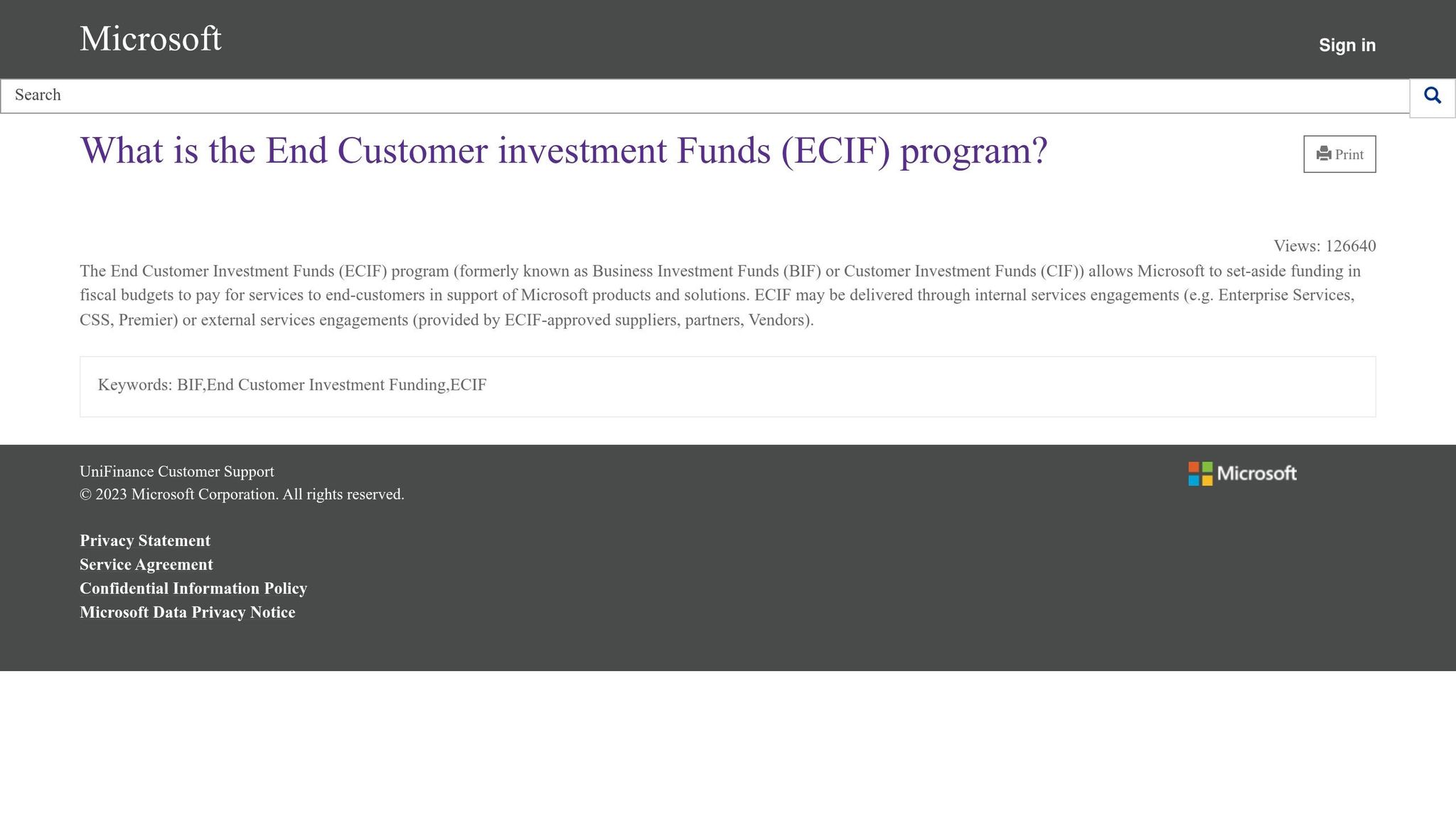
When targeting is clear but deals still stall, the missing piece is often funding motion.
Field Symptom
Teams end up restarting deals from scratch when they overlook existing Azure commitments and funded motions. On top of that, manual review of funding changes slows everything down and pushes ECIF/MACC out of the workflow. Scattered account tracking makes it hard to see which accounts qualify for ECIF or MACC, so deals that should have moved forward quietly slip away.
Root Cause
Funding eligibility usually isn’t built into the daily workflow. Instead, teams track Microsoft program changes by hand, which eats up hours and delays action [3]. And once that happens, a simple problem turns into a costly one: eligible deals never get funded.
That lag matters because funding motions shape how Microsoft sellers prioritize a deal.
Microsoft GTM Impact
ECIF and MACC help drive Azure consumption and Marketplace deals, which Microsoft sellers care about [3]. When partners line up funding with the deal, they cut seller effort and become easier to work with [3].
Specific Fix
Make funding simple to spot, attach, and activate inside the account workflow [3]. Use account heatmaps to show coverage gaps, then connect the right ECIF or MACC motions directly to those accounts [2]. Also, automate funding updates and give the team short summaries of program changes so they act on current eligibility instead of old documentation [3].
If funding is available but campaigns still don’t convert, the problem has shifted from motion design to campaign execution.
5. Low Conversion From Partner-Led Campaigns
Campaigns can look busy while pipeline barely moves. That’s the core issue here: the engine is on, but it’s not turning effort into revenue.
Even when budget and targeting are in place, the motion breaks down if campaign execution doesn’t turn activity into qualified pipeline.
Field Symptom
Activity is high, but qualified pipeline stays flat. The motion is active: emails are sent, meetings get booked, and there’s visible movement. But opportunities don’t show up.
Deals stall before they become qualified pipeline, and Microsoft seller follow-up starts to slow down or stops altogether.
Root Cause
The main issue is context loss during execution. Account summaries, talk tracks, and message drafts aren’t attached to the outreach task, so sellers have to piece the story back together every single time.
That slows everything down. And at this stage, speed matters.
This is also where teams get stuck in a bad loop. Activity exists, but closed opportunities lag. Then people switch to new offers instead of repeating the same motion and tightening what already started. As a result, conversion stalls.
That gap hits harder when Microsoft is pushing the motions your campaign is supposed to support.
Microsoft GTM Impact
Microsoft is prioritizing Copilot and Marketplace motions in FY27 [3]. If your campaign message doesn’t line up with those priorities, seller attention drops.
Specific Fix
Attach account context, relationship maps, contact maps, and pre-built messaging to each seller task so the last outreach step takes seconds, not minutes [2]. That removes friction and gives sellers what they need right when they need it.
Use account heatmaps to spot gaps in solution coverage and relationship depth, so campaigns focus on accounts with actual traction [2] [4]. Then stick with the same inputs and cadence until conversion starts to move. Constantly changing the motion usually makes the problem worse.
How to Turn These Fixes Into a Repeatable Co-Sell Motion
Once you spot the warning signs, the next step is simple: make the motion repeatable. In most cases, these five signs trace back to one core problem - the motion is fragmented. The fix usually falls into three layers: targeting, messaging, and execution.
Layer 1 - Targeting and coverage: Start by mapping target accounts to named Microsoft sellers. Then use account heatmaps to show where coverage is thin and where relationships are missing [2].
Coverage on its own doesn’t do much. It only matters if sellers can act on it fast.
Layer 2 - Messaging sellers can use: Use the same account context and talk tracks across every seller touchpoint. Then attach that account context to each outreach task so the next Teams or email message can go out right away and feel relevant to the account [1][2].
Good messaging can still fall flat if nobody follows through in a steady way.
Layer 3 - Consistent execution: Shift from static planning to assigned seller work. That means keeping a steady cadence across campaign activity, not just making plans and hoping they turn into action [2].
Barron Tech helps partners tighten co-sell messaging and seller activation, while Co-Sell Buddy supports account heatmaps, Microsoft contact maps, outreach drafts, and campaign tracking in one workspace [1][2].
Reference Tables
Use these tables to see where the co-sell motion starts to slip and what to fix first. They line up the five warning signs - pipeline, AE/SSP engagement, targeting, funding, and campaign conversion - with the likely cause and the next move.
Table 1: Healthy vs. Struggling Co-Sell Engine
| Metric | Struggling Engine | Healthy Engine |
|---|---|---|
| Referral Consistency | Uneven; depends on individual sellers | Repeatable; driven by named owners and clear next steps |
| Seller Coverage | Gaps in Microsoft relationship mapping; unknown AEs | Full visibility via heatmaps; every account has named contacts |
| Response Times | Slow; sellers spend hours drafting custom emails | Fast; outreach is pre-staged with account context |
| Funding Usage | Reactive; often misses deadlines or program shifts | Proactive; automated tracking of ECIF/MACC changes |
| Conversion Rate | Low; outreach feels generic to Microsoft reps | High; outreach is grounded in shared account intelligence |
Table 2: Root Cause to Fix
| Warning Sign | Root Cause | Corrective Action |
|---|---|---|
| Inconsistent Pipeline | No repeatable operating rhythm | Implement account heatmaps and seller-specific campaigns |
| Weak AE/SSP Engagement | Relationship map disconnected from account plans | Map Microsoft contacts directly to accounts; fill gaps with heatmaps |
| Unclear Co-Sell Targeting | Scattered spreadsheets obscure priority accounts | Use heatmaps to map coverage gaps and assign the next seller action |
| Poor ECIF/MACC Usage | Manual tracking misses current eligibility | Use AI-driven tools to monitor funding documentation and deltas |
| Low Campaign Conversion | High friction in outreach; lacks account context | Attach pre-built talk tracks and outreach drafts directly to seller tasks |
Table 3: Before and After Structured Funding
Funding deserves its own benchmark because it shifts seller behavior, not just back-office work.
| Metric | Before (Ad-Hoc) | After (Structured) |
|---|---|---|
| Sales Cycle Time | Longer; procurement and budget delays | Shorter; MACC applied through Azure Marketplace |
| Pilot Risk | High; partner or client must fund the pilot | Low; Microsoft ECIF covers service costs |
| Budget Efficiency | Low; searching for new, unallocated funds | High; using existing Azure commitments |
| Azure Alignment | Loose; general services, unclear consumption | Tight; directly tied to Microsoft-funded workloads |
| Seller Engagement | Reactive; asking AEs for exceptions | Proactive; bringing funding to the AE’s account |
Conclusion
These five warning signs tend to show up at the same time. The answer isn’t more activity. It’s a cleaner operating rhythm. If pipeline is inconsistent, seller engagement is weak, targeting is scattered, funding goes unused, and campaigns don’t convert, something in the rhythm is off.
Start with the fastest signals. Run a quick audit and look for the obvious gaps:
- Where are the heatmap gaps?
- Which Microsoft sellers don’t have a named owner?
- Which accounts have no co-sell outreach tied to account context?
Barron’s point is simple: fix the inputs first.
Keep outreach, relationship mapping, funding tracking, and campaign execution consistent until the pipeline starts to match the effort. Then repeat that same motion until the pattern becomes predictable. Use these five signs as a quarterly audit against actual pipeline data.
FAQs
How do I know which issue to fix first?
Start with a heatmap of your current coverage and account context. It lets you spot gaps in solution coverage, relationship depth, and follow-up opportunities fast, instead of playing a guessing game.
Track accounts, relevant Microsoft sellers, and traction status so you can see where momentum starts to slip, whether that’s missing seller engagement or weak campaign follow-through. Put your attention on the inputs that stack over time.
What should an account heatmap include?
An effective account heatmap should bring target accounts, associated Microsoft contacts, and current seller ownership into one central view.
It should also track coverage status so your team can quickly see where it has traction, spot gaps, find missing solution coverage, gauge relationship depth, and identify follow-up opportunities without digging through multiple systems.
How often should we audit our co-sell motion?
Audit your co-sell motion on a regular cadence. The exact timing should fit the rhythm of your business, but you need a steady operating rhythm to keep your sales engine working well and to avoid it going stale.
Think of co-sell as a repeatable process, not a set-it-and-forget-it project. That means daily follow-through, close tracking of account heatmaps, and steady outreach updates based on Microsoft intel and field conversations.